Quick facts: moving from Cozi to OptiAI
- What it is: OptiAI is an AI-powered family and life organizer with a shared calendar, lists, chores, money, meals, health and more in one app.
- Moving your data: Settings, then Import your data; .ics calendar files, CSV, text, JSON, PDF or up to 10 screenshots; review first, undo for 7 days.
- Calendars: Google and Outlook calendars can be brought in read-only.
- Platforms and languages: web (installable), iOS and Android, in 11 app languages.
- Price: free "Full Access" tier with every module and no trial or card; one paid plan at $4.99/month or $49.99/year.
- Publisher: Aspire Digital LLC.
Last reviewed 2026-11-02. OptiAI is not affiliated with Cozi.
Should you switch at all?
Cozi is widely used for a simple shared family calendar everyone can see, shopping and to-do lists, and being easy for non-technical family members. That is a real strength, and many households need nothing more.
The reason to switch is usually breadth. If your calendar works but everything around it is scattered, a broader app can pull it together. If it is not scattered, you may be better off staying.
What you keep
- A shared family calendar everyone sees, colour-coded by person, with reminders and clash warnings.
- Shared lists for shopping and to-dos that more than one adult can add to.
- Your existing events, brought in from an .ics file, or from Google and Outlook calendars read-only.
What changes
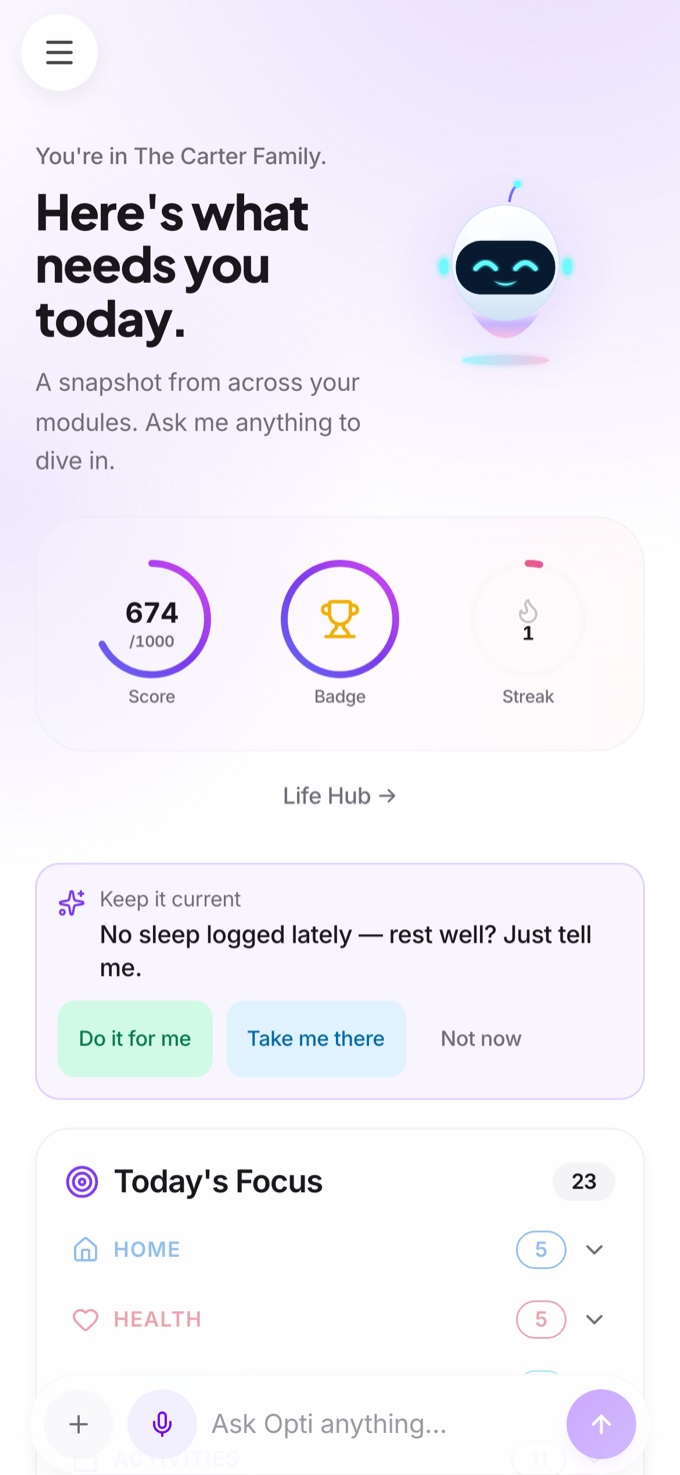
- More than a calendar. Chores and routines kids can tick off, a household budget (information only, not financial advice), meals, health, childcare and pets.
- An assistant that acts only after you confirm. Send a school notice and Ask Opti proposes the event; nothing saves until you say yes.
- Not only for families. It also works for couples and individuals.
- More to learn. A bigger app has more screens. Move one area at a time.
Cozi and OptiAI side by side
| Cozi | OptiAI | |
|---|---|---|
| Shared family calendar | Yes, its core strength | Yes, colour-coded with clash warnings |
| Shopping and to-do lists | Yes | Yes, plus meals and pantry |
| Chores and routines for kids | Not its focus | Yes, built in |
| Goals, money and health | Not its focus | Built in, with per-person sharing permissions |
| AI assistant | Limited | Ask Opti, proposes first and saves after you confirm |
| Best suited to | Families who want something dead-simple | Households who want calendar, chores and money together |
For the full comparison see Cozi alternative and the compare hub.
Where OptiAI is not the right pick
If your family only needs a bare calendar and lists, or a relative needs the simplest possible screen, a lighter app is faster to set up and easier to keep up. Stay on Cozi if that describes you. Switching is only worth it if the extra areas will actually get used.
How to move
- Keep Cozi running. The import does not change or delete anything in your old app.
- Export what you can. Share or export your calendar as an .ics file if your app offers it, and take screenshots of your lists.
- Import. In OptiAI, open Settings, then Import your data, and add the files or screenshots.
- Review. Check the grouped results, edit anything, flag duplicates, then tap Import. You can undo for 7 days.
- Run both for two weeks. Check that everyone is using the new calendar, then close the old app using its own steps.
Details and other source apps are in the move to OptiAI guide. Still choosing? Read how to choose a family organizer app and see the family calendar app page.
Our bias, stated plainly
We build OptiAI, so this guide describes it most fully. We would rather you pick the app your family will actually open. If a simple calendar is all you need, stay on Cozi. If you want to try ours, the Full Access tier is free with every module included and no trial. Open OptiAI.